
 Romain Rigaux
d30c535d4a
HUE-8805 [config] Dev settings for getting emailing to print on the console by default
Romain Rigaux
d30c535d4a
HUE-8805 [config] Dev settings for getting emailing to print on the console by default
|
7 anni fa | |
|---|---|---|
| apps | 7 anni fa | |
| desktop | 7 anni fa | |
| dist | 7 anni fa | |
| docs | 7 anni fa | |
| ext | 7 anni fa | |
| maven | 7 anni fa | |
| tools | 7 anni fa | |
| .babelrc | 7 anni fa | |
| .coveragerc | 10 anni fa | |
| .eslintignore | 7 anni fa | |
| .eslintrc.js | 7 anni fa | |
| .gitattributes | 16 anni fa | |
| .gitignore | 7 anni fa | |
| .prettierrc | 7 anni fa | |
| .stylelintrc.json | 7 anni fa | |
| Gruntfile.js | 7 anni fa | |
| LICENSE.txt | 8 anni fa | |
| Makefile | 7 anni fa | |
| Makefile.sdk | 14 anni fa | |
| Makefile.tarball | 7 anni fa | |
| Makefile.vars | 8 anni fa | |
| Makefile.vars.priv | 16 anni fa | |
| NOTICE.txt | 8 anni fa | |
| README.md | 7 anni fa | |
| VERSION | 7 anni fa | |
| data | 13 anni fa | |
| package-lock.json | 7 anni fa | |
| package.json | 7 anni fa | |
| webpack.config.js | 7 anni fa | |
| webpack.config.login.js | 7 anni fa | |
| webpack.config.workers.js | 7 anni fa |
README.md

Query. Explore. Repeat.
Hue is an open source SQL Workbench for browsing, querying and visualizing data in cloud/on-prem Data Warehouses: gethue.com
It features:
- Editors to query with SQL any database and submit jobs
- Dashboards to dynamically interact and visualize data
- Scheduler of jobs and workflows
- Browsers for data and a Data Catalog
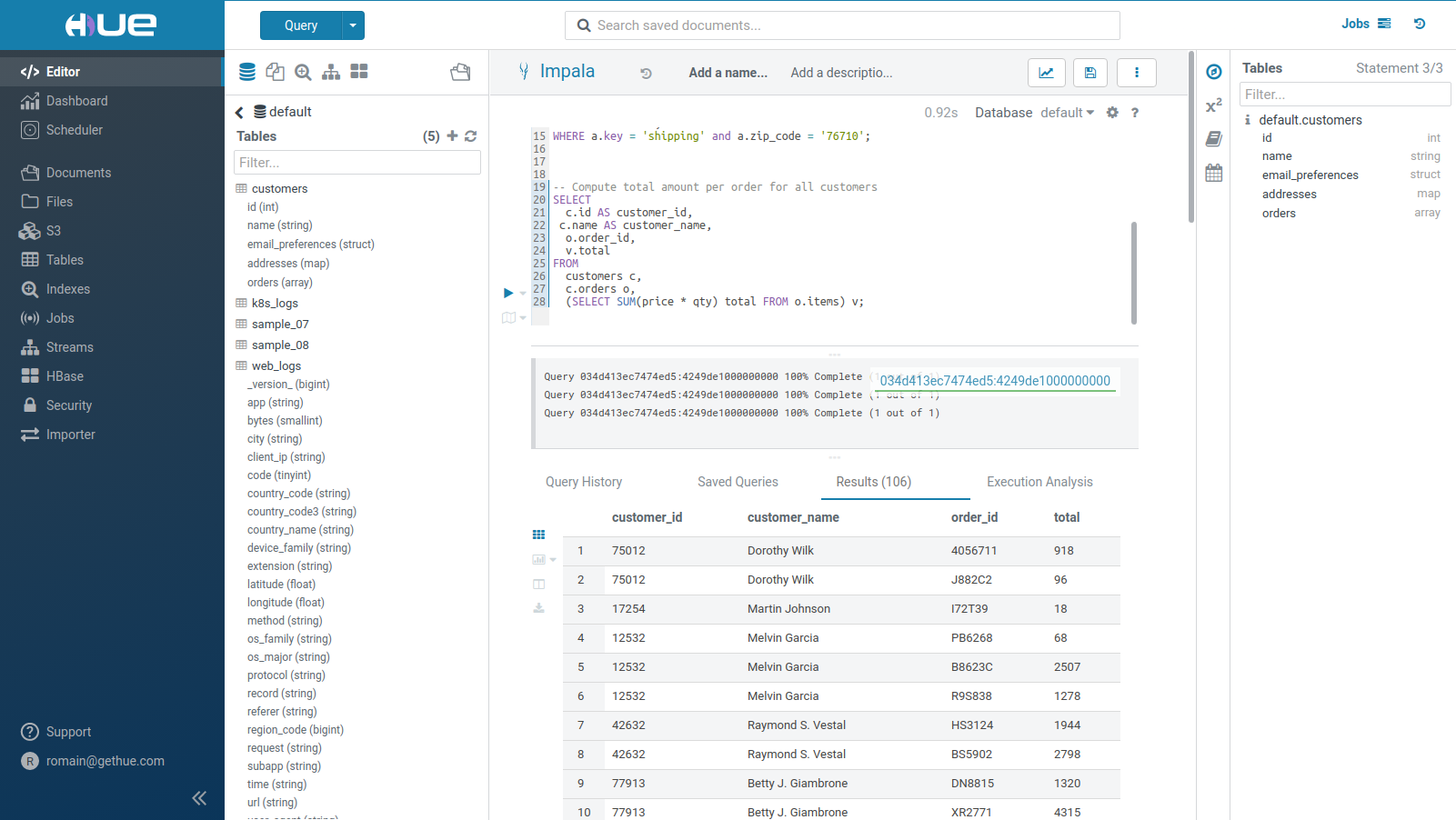
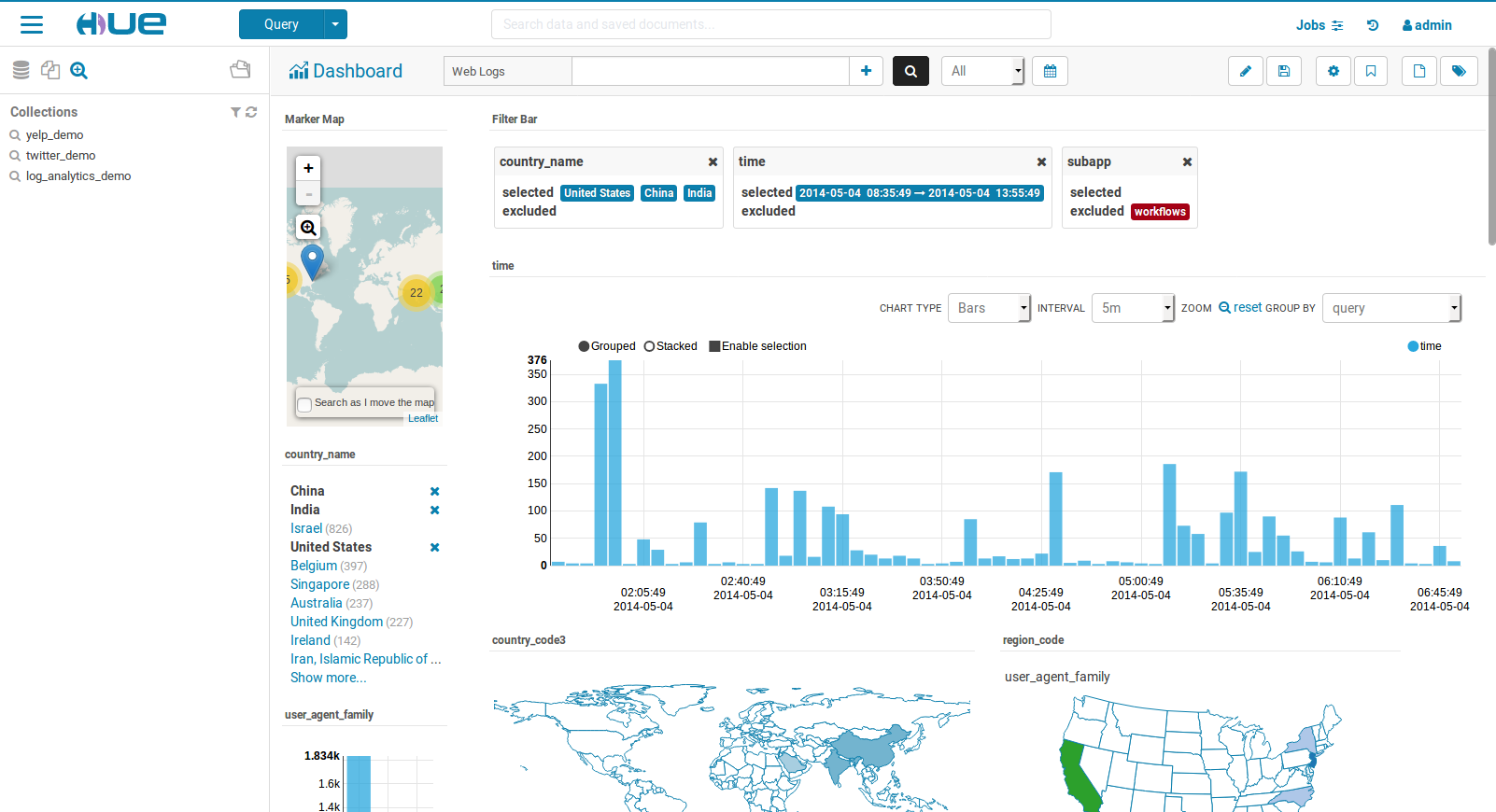
Who is using Hue
Thousands of companies and organizations use Hue to open-up their data and provide self service querying in order to make smarter decisions. Just at Cloudera, Hue is heavily used by thousand of customers executing millions of queries daily. Hue directly ships in Cloudera, Amazon, MapR, BigTop and is compatible with the other distributions.
Getting Started
Add the development packages, build and get the development server running:
git clone https://github.com/cloudera/hue.git
cd hue
make apps
build/env/bin/hue runserver
Now Hue should be running on http://localhost:8000 ! The configuration in development mode is desktop/conf/pseudo-distributed.ini.
Read more in the installation documentation.
Docker
Start Hue in a single click with the Docker Guide or the video blog post.
Kubernetes
Configurations to start a Hue server are available at tools/kubernetes. The Kubernetes hue.yaml
configuration is available in the template directory.
Community
- How to contribute
- High level roadmap
- User group: http://groups.google.com/a/cloudera.org/group/hue-user
- Jira: https://issues.cloudera.org/browse/HUE
- Reviews: https://review.cloudera.org/dashboard/?view=to-group&group=hue (repo 'hue-rw')
License
Apache License, Version 2.0 http://www.apache.org/licenses/LICENSE-2.0